For webcam models
Michi whispers what’s happening in your room
A kitten in Chrome’s side panel who tells you who walks in, who tips you and how your night is going.
Coming soon to the Chrome Web Store
Try her right hereHi! I’m Michi, your prompter.
You look at the camera, I’ll watch your room.
Works with
 amateur.tv
 Chaturbate
 Stripchat
 CAM4
CAM4
Even if you stream on several at once.
It all happens in your panel
Even if you stream with OBS, Michi opens your room by herself in a pinned, muted tab with no video or images, and reads what comes in on that page.

Go on, touch it. I don’t bite.
It’s my real panel (in Spanish for now), with a sample model: check the chat, open a fan’s card or ask me something.
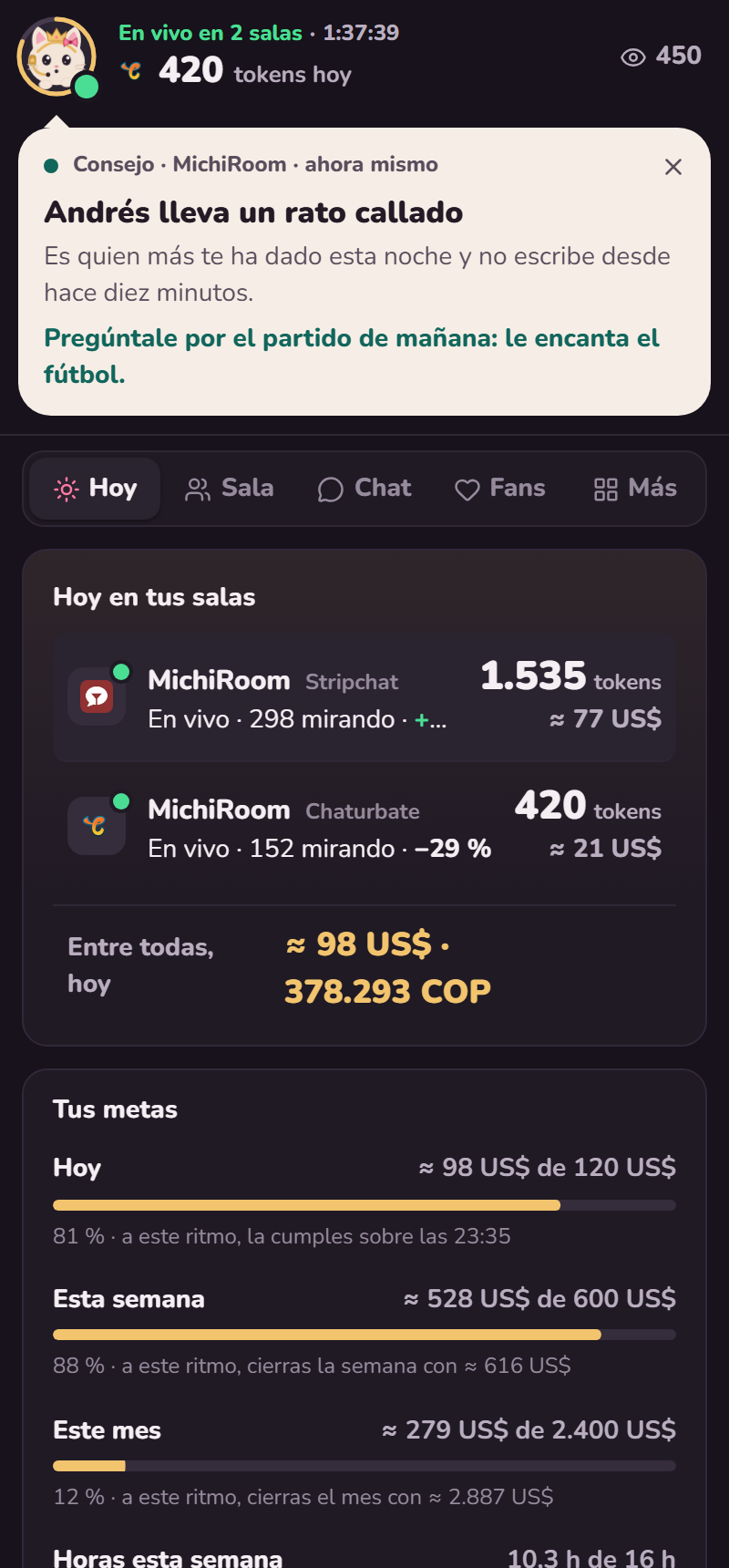
- In Chrome’s side panel
- It opens from its icon and stays in sight while you stream.
- Several rooms at once
- If you multistream, the banner counts all of them and the chat brings them together.
- If Chrome closes, nothing is lost
- What you earn is saved as you go, and when you’re back the stream is recorded as cut short.
- Your connection is for you
- The room’s tab loads no video or images, so your bandwidth goes to your stream.
And the morning after
Michi tells you how it went, when you do best and how much you really keep after expenses.

Over coffee, I’ll tell you how it went and what you keep.
Your best days and hours, how long you should stream and whether your energy shows in what you earn. Always measured per hour live, so a long day doesn’t look better just because it was long.
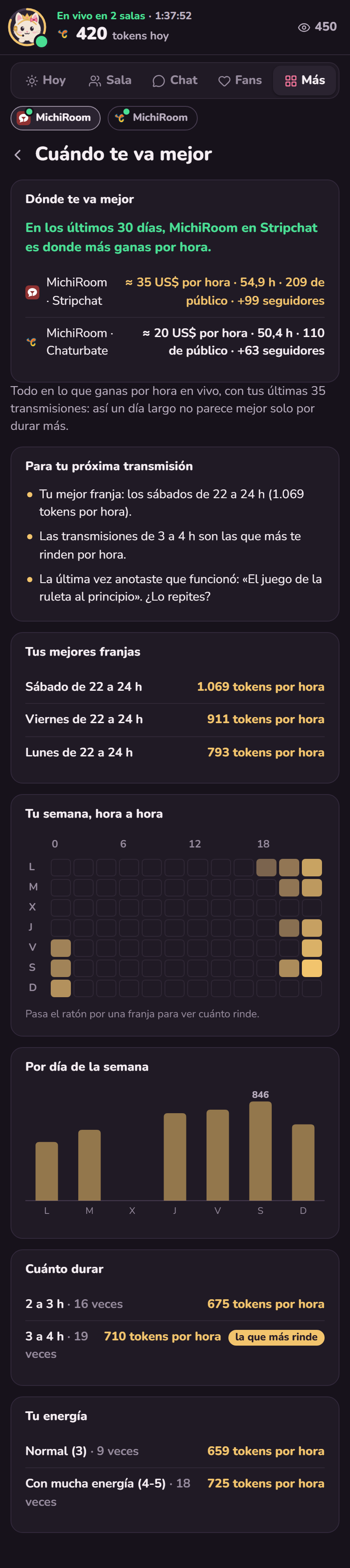
Scroll inside the screen to see all of it.
What you earned, your expenses and what you keep each month, in dollars or euros and in your own currency too.

Scroll inside the screen to see all of it.
Your usual week, your days off and your reminders. Michi reminds you before each stream and tells you whether you’re on track for your goals.

Scroll inside the screen to see all of it.
Ask her anything about your numbers, your fans or your work. She answers with your own data.
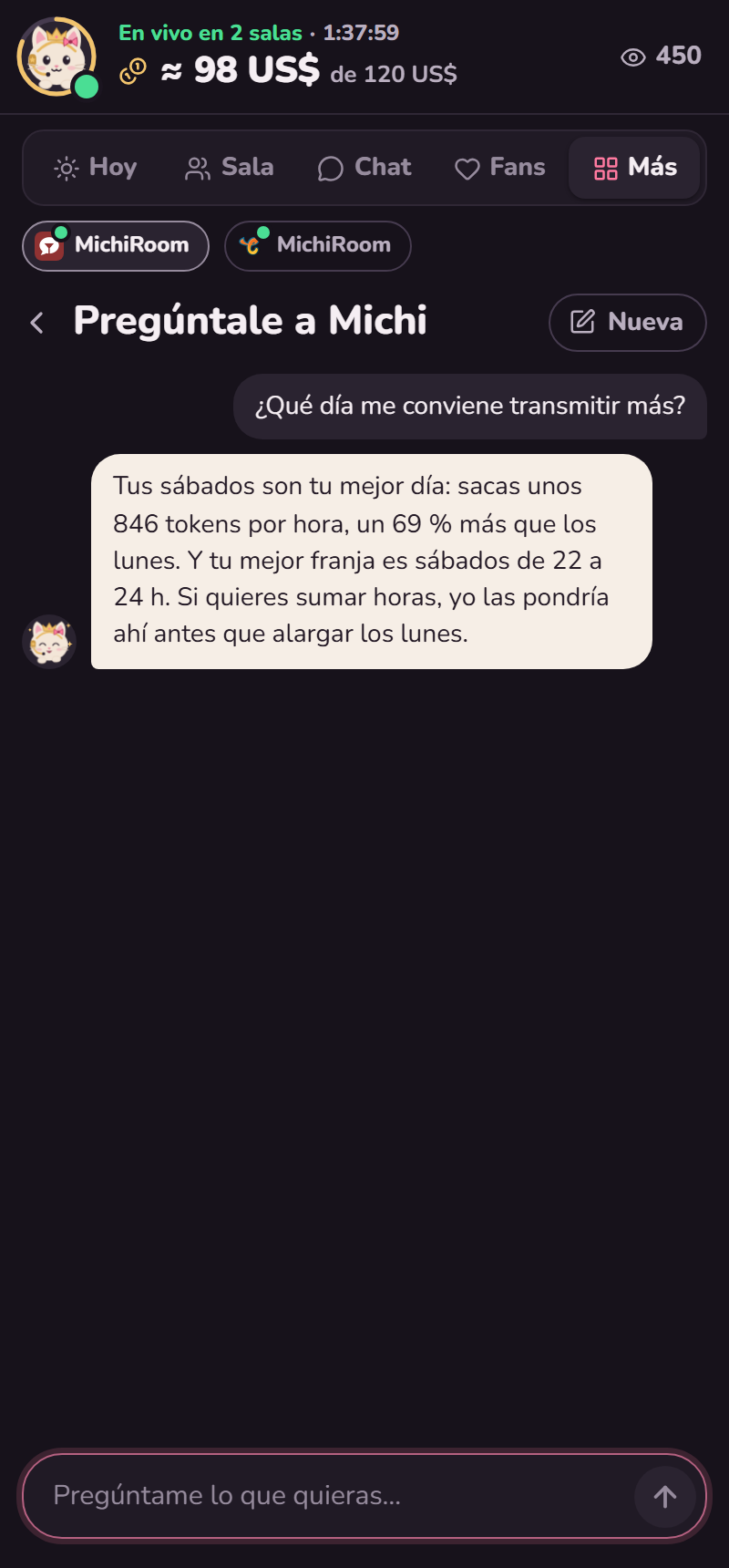
Scroll inside the screen to see all of it.
A summary of each day and each week, written by Michi, with what went well and what to try next time.
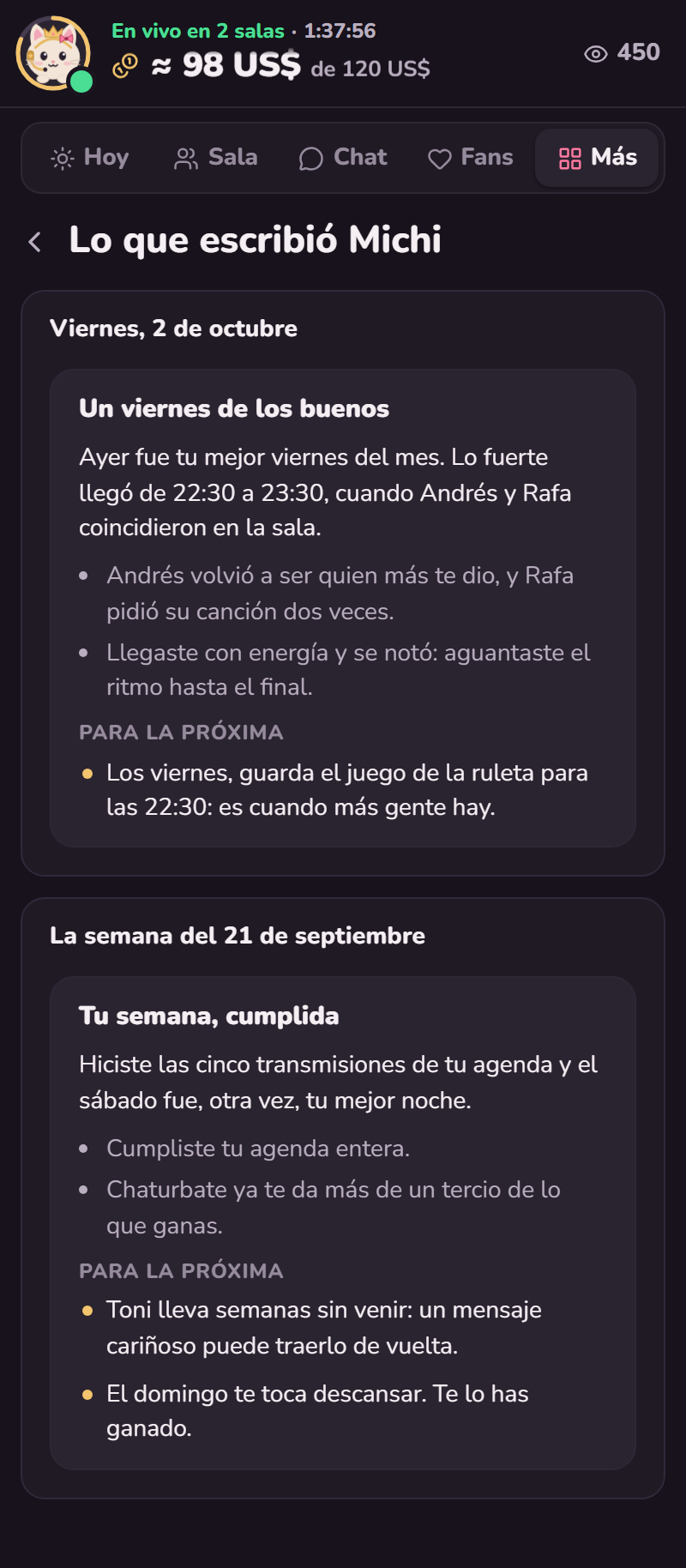
Scroll inside the screen to see all of it.
Michi grows with you
Each of your achievements earns her something new: a bow, a star on her headset, a crown. And you choose how she talks to you.
I have a crown now.
I sleep easy: what’s yours stays with you.
What’s yours stays yours
Saved in your Chrome
Your fans, your streams and your numbers live on your computer.
With a copy so you lose nothing
If you switch computers, enter your code and get everything back. If you’d rather not, turn it off in settings and everything stays on your computer only.
The AI doesn’t keep what you tell it
It gets just what it needs to answer you: your numbers, your notes and the latest chat. And it’s asked not to store any of it.
We count taps, not what you write
To improve Michi, we count how often each screen is opened. Never what you write or who’s in your room.
She only reads your room
She doesn’t write in your chat or change anything on the page: your fans can’t tell you’re using her.
Questions
Does Michi speak English?
Not yet. For now Michi talks to you in Spanish, and so do her screens and settings. This page is in English so you can see what she does.
Do I need to keep my room open?
No. Michi opens it herself in a pinned, muted tab. If you close it, she opens it again a few minutes later.
Does it work if I stream with OBS?
Yes. Michi doesn’t touch OBS: she reads your room from Chrome.
Do I have to log in to the platform?
If you’re already logged in on Chrome, Michi uses that session. If not, Ajustes → Tus salas → Iniciar sesión opens the page so you can log in once.
Does it use a lot of data?
No. The room’s tab loads no video or images, which are what use the most.
What if my computer shuts down mid-stream?
What you earned isn’t lost: Michi saves it every thirty seconds and, when you’re back, records the stream as cut short.
Can I use it on several platforms at once?
Yes. Add each room in settings. Michi tells you about all of them, but never adds up tokens from different platforms: each platform’s tokens are worth something different.
My agency gave me a code. Where does it go?
In Ajustes → Tu cuenta de Michi. That’s also where you’ll find your own code, to get your data back on another computer.
Can I use it without the AI?
Yes. In Ajustes → Tu cuenta de Michi you can switch it off completely and everything stays on your computer. Alerts, your numbers and your schedule keep working.
Tonight, stream with Michi by your side
Install her in Chrome, add your room and she starts watching.
Coming soon to the Chrome Web Store
See you in your panel.